
Field Meter Operations
Smart meter operations wherever the work happens.
GridStar Lite brings secure meter reading, programming, diagnostics, history, and reporting into one focused mobile and desktop application for field teams.
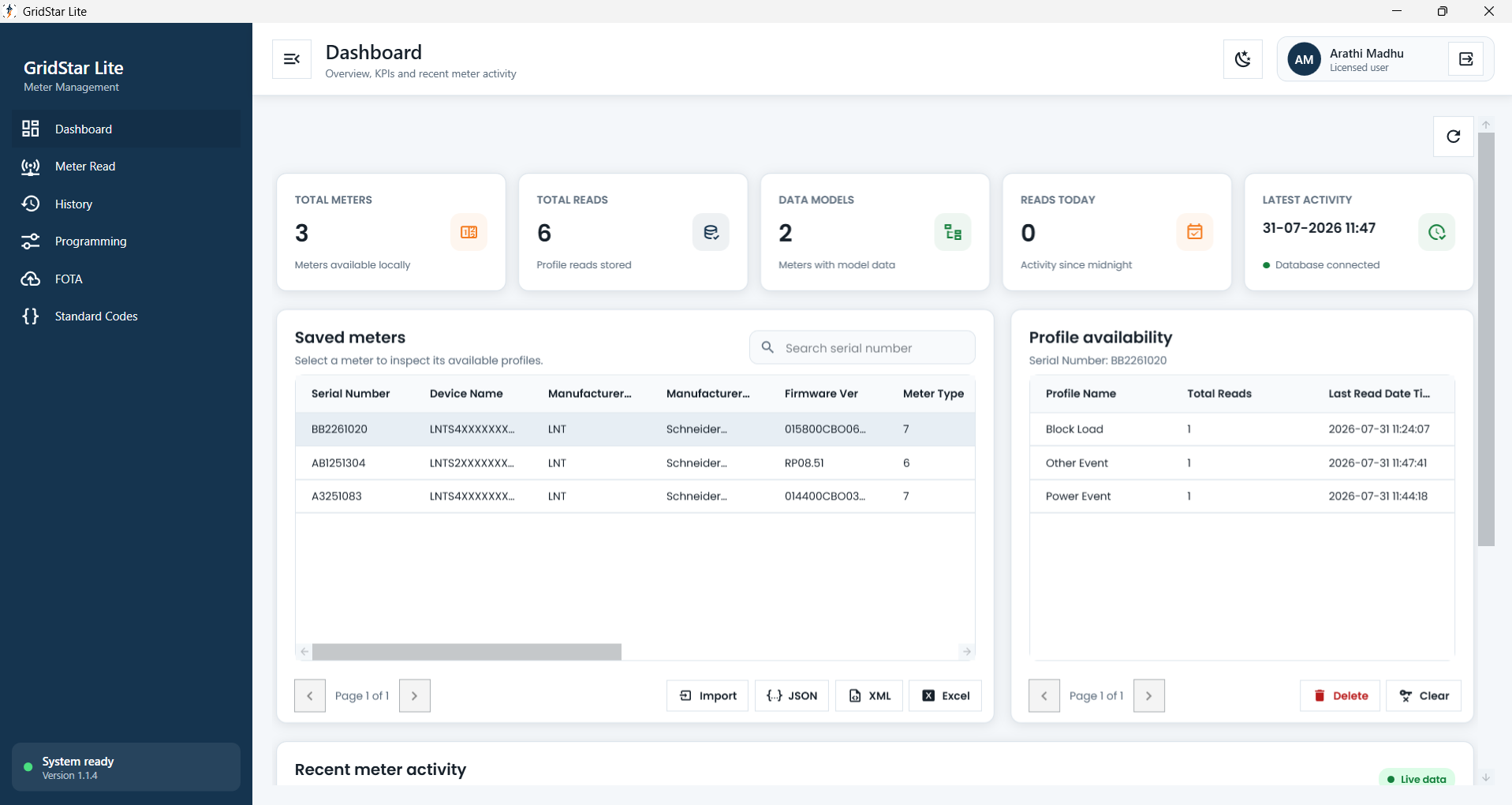
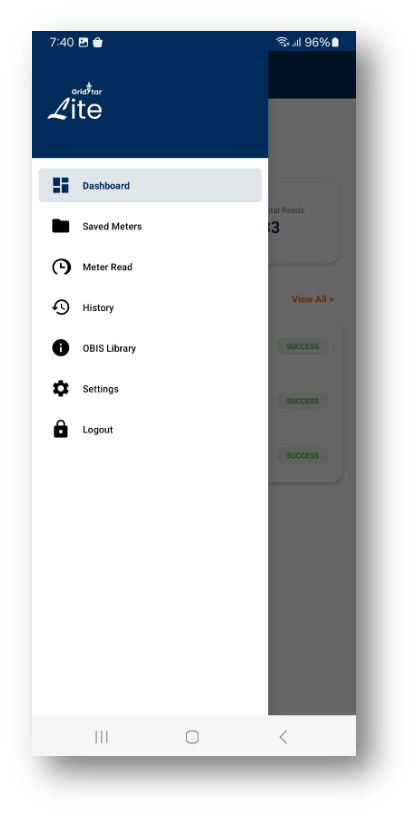
Built for the field
One application for common field challenges
GridStar Lite reduces tool switching and gives technicians a clearer path from connection to completed report.
One Tool
Connect, read, program, and report from one application, reducing the need to switch between field tools.
Faster and automated workflow
Use assigned tasks and guided operations to reduce repeated setup and move from connection to saved results.
Reliable Connectivity
Choose optical, serial, Bluetooth, or TCP communication to match the connection available at the meter.
How GridStar Lite works
A clear workflow for every meter visit
The same four-step flow guides the technician from connection through reporting.
Connect
Choose the available optical, serial, Bluetooth, or TCP connection.
Communication establishedAuthenticate
Establish a secure DLMS association using authorised meter credentials.
Meter access authorisedRead or program
Run profile reads, diagnostics, or approved programming operations.
Field operation completedSave and export
Keep the result in history and produce a clear field report when needed.
Results ready for review
Connected task workflow
From remote monitoring centre to verified field result
See how GridStar Lite connects web administrators and mobile field workers in one traceable task journey.
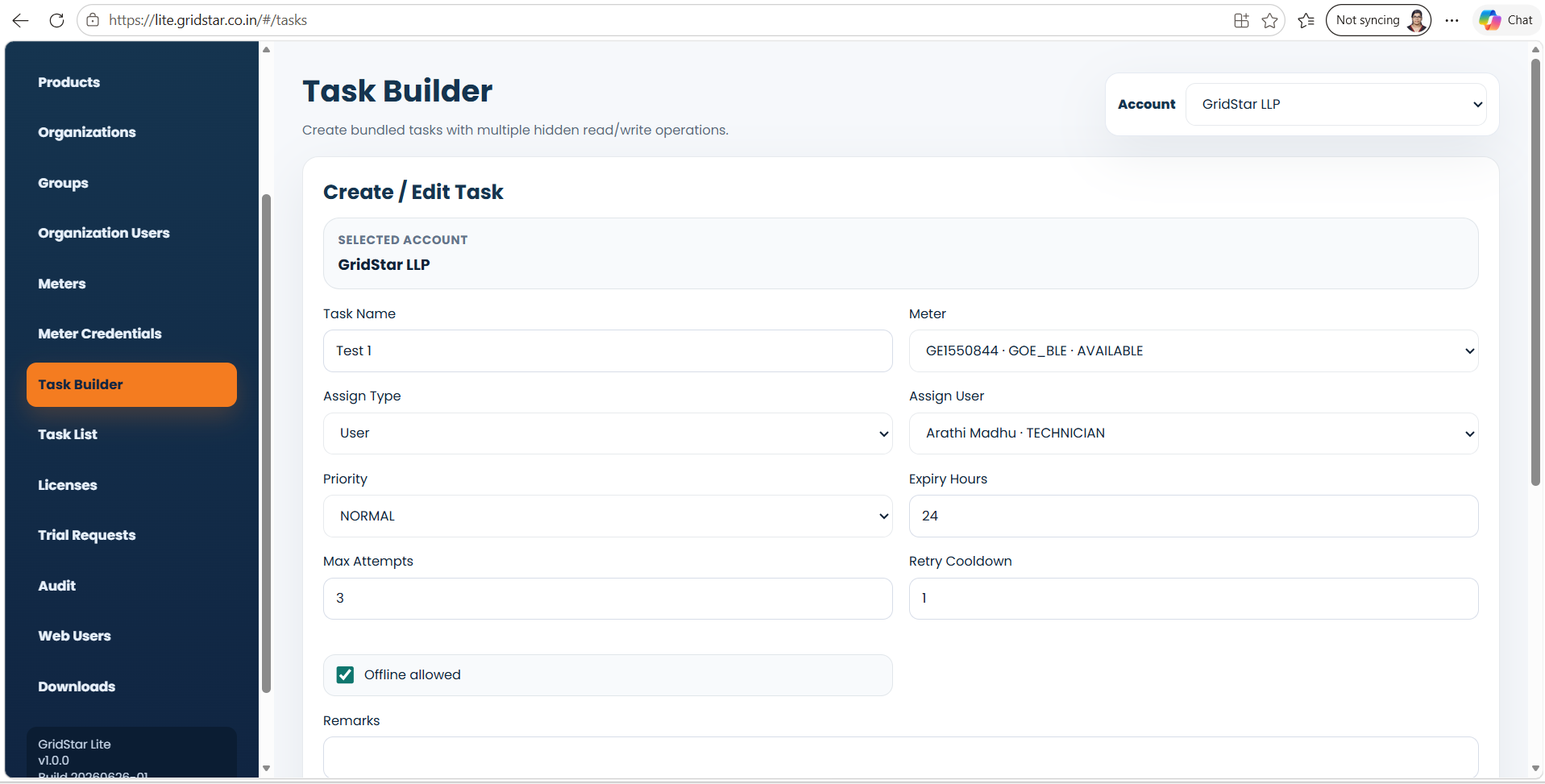
Step 01 · Web portal
Build the field task
An administrator selects the account, meter, assigned field worker, priority, expiry, retry settings, and offline availability in the GridStar Lite web portal.
Connectivity
Use the connection available at the meter
GridStar Lite supports multiple communication modes within a consistent field workflow.
Optical / Serial
Direct field communication using supported optical and serial interfaces.
Bluetooth
Cable-free communication for supported Bluetooth-enabled smart meters.
TCP
Network-based meter communication where an IP connection is available.
Application experience
Built for mobile and desktop field operations
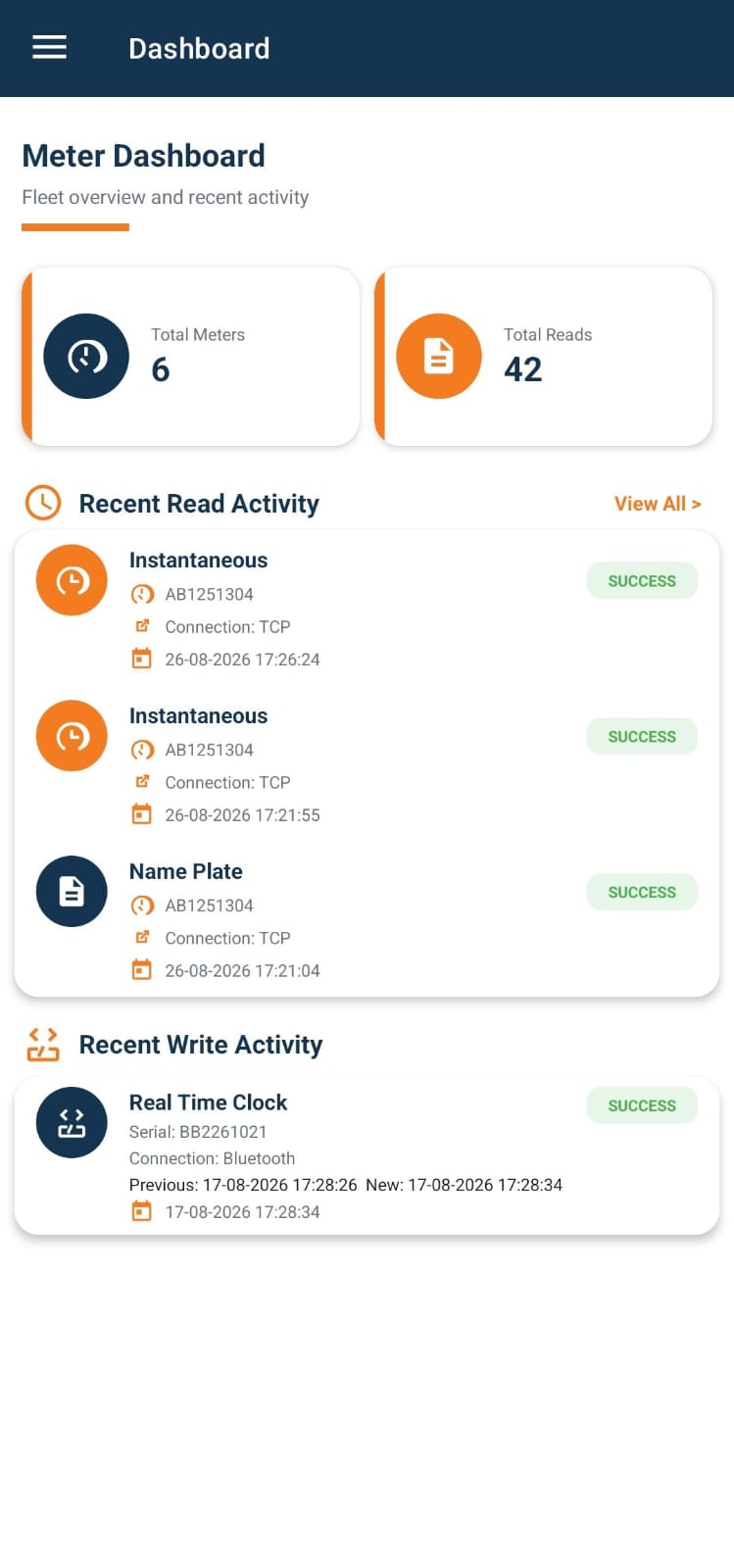
Choose mobile or desktop, then select a screen to explore reading, programming, and reporting tools.
mobile application
Dashboard
Review recent meter reads, writes, and field activity.
Supported operations
Reading, programming, and reporting in one place
Give authorised field users the tools required for everyday smart meter operations.
Meter profile reading
Read instantaneous, block load, daily load, billing, and event profiles.
Meter programming
Perform authorised RTC, load limit, integration period, and control operations.
Field diagnostics
Review communication status and meter responses during an operation.
Reading history
Return to saved read and write activity without repeating the meter operation.
PDF reporting
Generate structured reports that are easier to review, share, and archive.
Secure access
Use authenticated user and meter-specific credentials for controlled operations.
GridStar Lite
Equip field teams with one focused meter-operations application.
Talk to our team for a walkthrough of GridStar Lite on mobile and desktop.
Request a demo